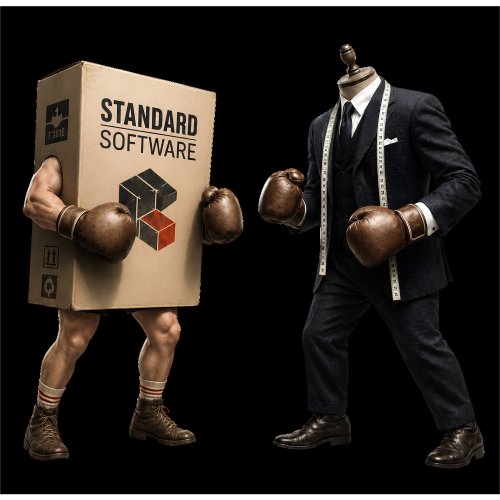
Off the Shelf vs Custom Business Software Comparison Calculator Icon

INTERACTIVE SOFTWARE SELECTION TOOL

Off-the-Shelf vs Custom Business Software Calculator

Compare software fit, implementation time, flexibility, integrations, control, maintenance and total cost before deciding how your business system should be built.

Use the calculator to test your own requirements and cost assumptions. The result is a structured starting point for shortlisting options; not an automatic procurement decision.

Read the Comparison Guide

Jump to a section:

Quick Answer
Calculator
Methodology
Detailed Comparison
Selection Process
FAQs

START WITH THE BUSINESS REQUIREMENT

Should You Buy Existing Software or Build a Custom System?

Off-the-shelf software is designed for a broad market and can usually be purchased or subscribed to without developing a new system from the beginning. Custom business software is designed or configured around a particular organisation’s users, processes, information and required outcomes.

Neither option is automatically better. Common, well-understood requirements are often served efficiently by established products. More distinctive or operationally important processes may justify a custom system, especially where the business needs specialised workflows, integrations, permissions, reporting or control.

The choice is also not always binary. A business may use an established platform for standard functions and add custom forms, integrations, portals, reports or workflow layers where differentiation is valuable.

Off-the-Shelf Usually Fits When

  • The requirement is common across many businesses.
  • A suitable product already covers most essential needs.
  • Fast implementation is a high priority.
  • The business can adapt some processes to the product.
  • Standard vendor support and regular updates are valuable.
  • The long-term licence cost remains reasonable.

Custom Usually Fits When

  • The workflow is unusual or central to the business.
  • Several systems and data sources must be connected.
  • Roles, permissions or reports are highly specific.
  • The business needs specialised offline or field functionality.
  • Control, portability or future adaptation is important.
  • Per-user licensing becomes expensive at scale.

A Hybrid Approach Often Fits When

  • A platform handles standard functions well.
  • Only selected workflows require customisation.
  • The business wants to launch in phases.
  • Existing software must be retained and integrated.
  • A custom portal or reporting layer can close the main gaps.
  • The requirements are still developing.

Important distinction

“Custom” does not necessarily mean writing every component from scratch. A custom solution can combine established platforms, open-source components, low-code tools, APIs and purpose-built functionality. Likewise, off-the-shelf software may require configuration, migration, integration and ongoing administration before it works effectively inside the business.

INTERACTIVE CALCULATOR

Compare Requirements Fit and Total Cost

Adjust the assumptions to reflect your proposed system. Use supplier estimates where available and conservative figures where they are not.

1

Requirements and Priorities

These factors influence whether a standard product or custom approach is more likely to fit.

60%

Standard processHighly distinctive

Consider whether established products already support the process without major workarounds.

5 / 10

Few or simpleMany or complex

Include accounting systems, CRM platforms, forms, email, databases, devices and external APIs.

5 / 10

SimpleHighly structured

Consider roles, approval stages, exceptions, audit history, dashboards and reporting rules.

60%

Standard vendor terms acceptableHigh control required

Ownership and portability depend on contracts, architecture and export options—not the word “custom” alone.

40%

Normal browser useSpecialised requirements

Examples include offline capture, device functions, unusual calculations, geolocation or industry-specific workflows.

70%

Flexible timelineUrgent launch

A mature product can often be deployed sooner, although migration and configuration may still take time.

50%

System must follow usWe can follow the system

Adapting a weak process may be beneficial; forcing a differentiating process into a poor fit may not be.

2

Users, Timeline and Cost Assumptions

Enter the expected costs in today’s rands. The calculator does not add inflation or future user growth.

years
OFF-THE-SHELF

Licence, Setup and Ongoing Costs

R

R

R

R

weeks
CUSTOM

Build, Hosting, Support and Improvement Costs

R

R

R

weeks

YOUR INDICATIVE RESULT

LEAN CUSTOM OR HYBRID

A custom or hybrid approach currently appears stronger

Your requirements show a moderate need for flexibility and integration, while rapid implementation still matters.

Requirements Fit

Based on the seven priority sliders

Off-the-shelf46%
Custom54%
3-year off-the-shelf costR 0
3-year custom costR 0
5-year off-the-shelf costR 0
5-year custom costR 0
Lower-cost option over selected period
Estimated implementation difference
CUSTOM COST BREAK-EVEN
Not reached in the selected period

This compares the difference in initial cost with the difference in monthly equivalent operating cost.

Factors driving this result

  • Adjust the assumptions to generate your result.
Use this result as a shortlist, not a final decision.

Actual suitability depends on product demonstrations, detailed requirements, data migration, contracts, security review, supplier capability, user testing and the quality of implementation.


TRANSPARENT METHODOLOGY

How the Software Selection Calculator Works

The calculator keeps requirements fit separate from cost. A cheaper option may still be unsuitable, while a stronger operational fit may not justify its additional cost.

Requirements fit score

The calculator applies a weighted score to seven factors. Higher workflow uniqueness, integration complexity, permission and reporting complexity, need for control, and specialised functionality increase the custom score. Greater launch urgency and willingness to adapt the process to standard software increase the off-the-shelf score.

Factor Weight What a higher value tends to favour
Workflow uniqueness 22% Custom
Integration complexity 16% Custom or hybrid
Permissions, workflow and reporting complexity 14% Custom
Control, portability and flexibility 18% Custom, subject to contract and architecture
Specialised or offline functionality 12% Custom
Rapid implementation priority 10% Off-the-shelf
Willingness to adapt the process 8% Off-the-shelf

Total cost calculation

Off-the-shelf total cost: Initial setup, migration and configuration + the selected period of base platform fees + per-user licence fees + annual integration, support and customisation costs.

Custom total cost: Initial design, build, migration and implementation + the selected period of monthly hosting, licences and support + the annual enhancement budget.

The model uses the same number of users throughout the selected period and calculates in today’s rands. It does not add inflation, user growth, financing costs, tax effects, internal staff time, downtime or opportunity cost.

Overall direction

The final direction gives greater weight to operational fit than cost. It also identifies situations where the fit and cost results point in different directions, in which case a hybrid or phased approach may deserve investigation.

The result can only be as reliable as the inputs

Do not enter an unrealistically low custom-development estimate or compare it with an inflated software subscription. Obtain comparable estimates that cover the same scope, data migration, integrations, training, support and operating period.


DETAILED COMPARISON

Off-the-Shelf vs Custom Business Software

The correct comparison is not simply subscription cost versus development cost. Assess the complete operating model, contractual position and expected life of the system.

Decision area Off-the-shelf software Custom software
Initial implementation Often faster when the product already supports the requirement and migration is manageable. Usually requires more discovery, design, testing and phased delivery before launch.
Functional fit Strongest where processes are common and the business can adopt the product’s structure. Can be designed around distinctive processes, roles, rules and outputs.
Configuration and workarounds May require configuration, add-ons, spreadsheets or manual steps where the product does not fit. Can reduce workarounds, but poorly defined requirements can simply reproduce a weak process.
Integrations May offer established connectors, but availability, limits and pricing depend on the vendor. Can support purpose-built integrations where APIs and access are available, with ongoing maintenance required.
Control and ownership The vendor usually controls the product roadmap, terms, pricing and supported features. May provide greater control, but source code, data, hosting and intellectual-property rights must be defined contractually.
Data portability Export quality and exit options vary. Test whether complete, usable data can be retrieved. Can be designed for export and interoperability, but this must be included in the requirements and architecture.
Maintenance Core maintenance and upgrades are usually handled by the supplier, although configuration and integrations still need management. The owner needs a clear arrangement for monitoring, backups, security updates, bug fixes and future compatibility.
Cost structure Lower initial barriers are common, with recurring subscriptions, per-user fees and possible premium features. Higher initial investment is common, followed by hosting, support and planned enhancement costs.
Scaling Technical scaling may be handled by the vendor, while licences and plan limits can increase cost. Architecture can be designed for expected growth, but scaling is not automatic and must be planned.
Security and supplier risk Requires due diligence on the vendor, product, hosting, sub-processors, access controls, incidents and continuity. Requires secure development, testing, dependency management, hosting controls and ongoing maintenance.
Future change Changes depend on available settings, APIs, marketplace extensions and the vendor roadmap. Changes can be prioritised around the business, subject to budget, architecture and development capacity.
Supplier dependence Dependence is concentrated in the product vendor and its commercial terms. Dependence may shift to a developer or technical partner unless documentation, access and handover are planned.

LOOK BEYOND THE PRICE TAG

What Should Be Included in Total Cost of Ownership?

A fair comparison should cover the same scope and period for both options. A cheap monthly subscription may become expensive across many users, while a custom quotation may omit support, hosting or future improvements.

Acquisition and Launch

  • Discovery and requirements analysis.
  • Product evaluation or system design.
  • Configuration or development.
  • Data cleaning and migration.
  • Integrations.
  • Testing and user acceptance.
  • Training and launch support.

Ongoing Operation

  • Subscriptions and per-user licences.
  • Hosting and infrastructure.
  • Technical support.
  • Security monitoring and backups.
  • Integration maintenance.
  • Administration and user management.
  • Planned enhancements.

Change and Exit

  • Price increases or plan changes.
  • Additional users and storage.
  • New regulatory or operational needs.
  • Data export and migration.
  • Contract termination.
  • Documentation and handover.
  • Replacement-system transition.

Recovered time is not automatically cash saved

A better-fitting system may reduce administration, errors and delays, but the financial value depends on what the organisation does with the recovered capacity. Include operational benefits in the business case without pretending every saved hour becomes an immediate cash saving.

PRACTICAL SELECTION PROCESS

How to Make the Decision Properly

The calculator can narrow the direction, but the decision should be validated through requirements, demonstrations, testing and contractual review.

01

Define the problem and intended outcome

State what is currently failing, what should improve and how success will be measured before discussing products or technology.

02

Map the current process

Document users, steps, systems, data, volumes, delays, exceptions, approvals, reports and existing workarounds.

03

Separate essential requirements from preferences

Identify what is mandatory for legal, operational or security reasons and what would merely be convenient.

04

Shortlist real options

Compare suitable products, configurable platforms, hybrid approaches and custom development against the same requirements.

05

Request comparable demonstrations and estimates

Ask suppliers to demonstrate your scenarios and price the same scope, users, integrations, migration, support and operating period.

06

Evaluate risk, contracts and exit options

Review data access, export, intellectual property, service levels, security, sub-processors, support responsibilities and termination arrangements.

07

Pilot before committing widely

Test the option with real users and representative data before a broad rollout or irreversible migration.

08

Assign ownership after launch

Define who manages users, data quality, support, changes, supplier performance, security issues and future improvements.

AVOID EXPENSIVE MISTAKES

Warning Signs During Software Selection

Off-the-Shelf Red Flags

  • The demonstration avoids your actual workflow.
  • Critical features require undocumented workarounds.
  • Data export is incomplete or available only on request.
  • Essential integrations are promised but not currently available.
  • Pricing depends on several paid add-ons not included in the quote.
  • The supplier cannot explain security, backup or incident responsibilities.
  • The business must change a valuable process solely to fit the product.

Custom-Development Red Flags

  • Development begins without documented requirements or ownership.
  • The quotation excludes testing, migration, hosting or support.
  • No one can explain source-code, data or intellectual-property rights.
  • The developer proposes unnecessary custom work for standard functions.
  • There is no staging environment, backup plan or release process.
  • The system depends entirely on one person with no documentation.
  • The supplier promises a fixed outcome before understanding the process.

RELATED RESOURCES

Continue Planning the System

Use these Repautomate resources to assess the current process and understand the potential value of improvement.

INTERACTIVE CALCULATOR

Manual Admin Cost and Automation ROI Calculator

Estimate the current cost of a manual process, the hours that may be recovered and whether an automation investment could be financially worthwhile.

Use the ROI Calculator

RESOURCE HUB

Business Automation Resources

Explore practical guidance covering process automation, custom systems, reporting, data capture, implementation planning and software selection.

Explore the Automation Hub

RELATED REPautomate SERVICES

Get an Independent View of the Requirement

Repautomate can help document the process, compare realistic options and build or integrate a solution where custom work is justified.

Automation and System Integration

Map repetitive work, connect existing tools and implement workflows that reduce duplication and improve consistency.

Automation Services

Custom Business Systems

Build connected forms, portals, dashboards, reporting tools and operational systems around the outcomes the business actually needs.

Custom Systems

FREQUENTLY ASKED QUESTIONS

Off-the-Shelf and Custom Software Questions

No. Off-the-shelf software often has a lower initial cost, but the total cost depends on licences, users, add-ons, integrations, support, configuration and the period of use. Custom software often requires a larger initial investment but may have a different recurring-cost structure. Compare equivalent scope across several years.

Custom software can be designed for greater flexibility, but the actual result depends on its architecture, documentation, contract and ongoing development arrangement. A poorly built custom system may be harder to change than a well-supported configurable platform.

No. Payment for development does not automatically establish ownership of source code, intellectual property, hosting accounts or third-party components. The contract should clearly define ownership, licences, access, data rights, documentation and handover.

Often, yes. Many products provide configuration, custom fields, automation rules, APIs, extensions or marketplace applications. The important question is whether the available customisation is supported, maintainable and sufficient for the requirement.

A hybrid approach uses established products or platforms for standard functions and adds custom integrations, workflows, portals, forms, reports or specialised modules where needed. This can reduce unnecessary development while preserving flexibility in important areas.

Use a period that reflects how long the business realistically expects to use the system. Three to five years is often useful for planning, but rapidly changing requirements may justify a shorter horizon and stable core systems may require a longer one.

No. Cost is important, but the system must also meet essential operational, security, data, integration and support requirements. The cheapest option becomes expensive when it creates persistent workarounds, errors, delays or an early replacement project.

It is an indicative planning tool based on the values and priorities entered. It does not evaluate a specific product, supplier, contract, codebase or security environment. Validate the result through detailed requirements, demonstrations, quotations, due diligence and user testing.

Avoid unnecessary custom development when a reliable existing product already meets the requirement, the process is not stable, the business lacks an owner for the system, the expected value does not justify the lifecycle cost or the organisation cannot support ongoing maintenance.

Consider it when the process is distinctive or strategically important, standard products create serious workarounds, several systems must be connected, permissions and reporting are specialised, or the cost and limitations of existing products become unreasonable over time.

Sources and Further Reading

The comparison framework draws on established build-versus-buy, interoperability and technology supply-chain principles. These sources do not endorse the calculator’s weighting or provide a universal decision formula.

This page provides general educational guidance for South African businesses and abroad. It does not constitute legal, financial, procurement, cybersecurity or software-architecture advice.

MAKE THE DECISION AROUND THE PROCESS

Compare Real Options Before You Commit

Repautomate can help you document the requirement, identify suitable off-the-shelf and custom approaches, and implement the option that provides the strongest practical fit.

Explore Custom Systems