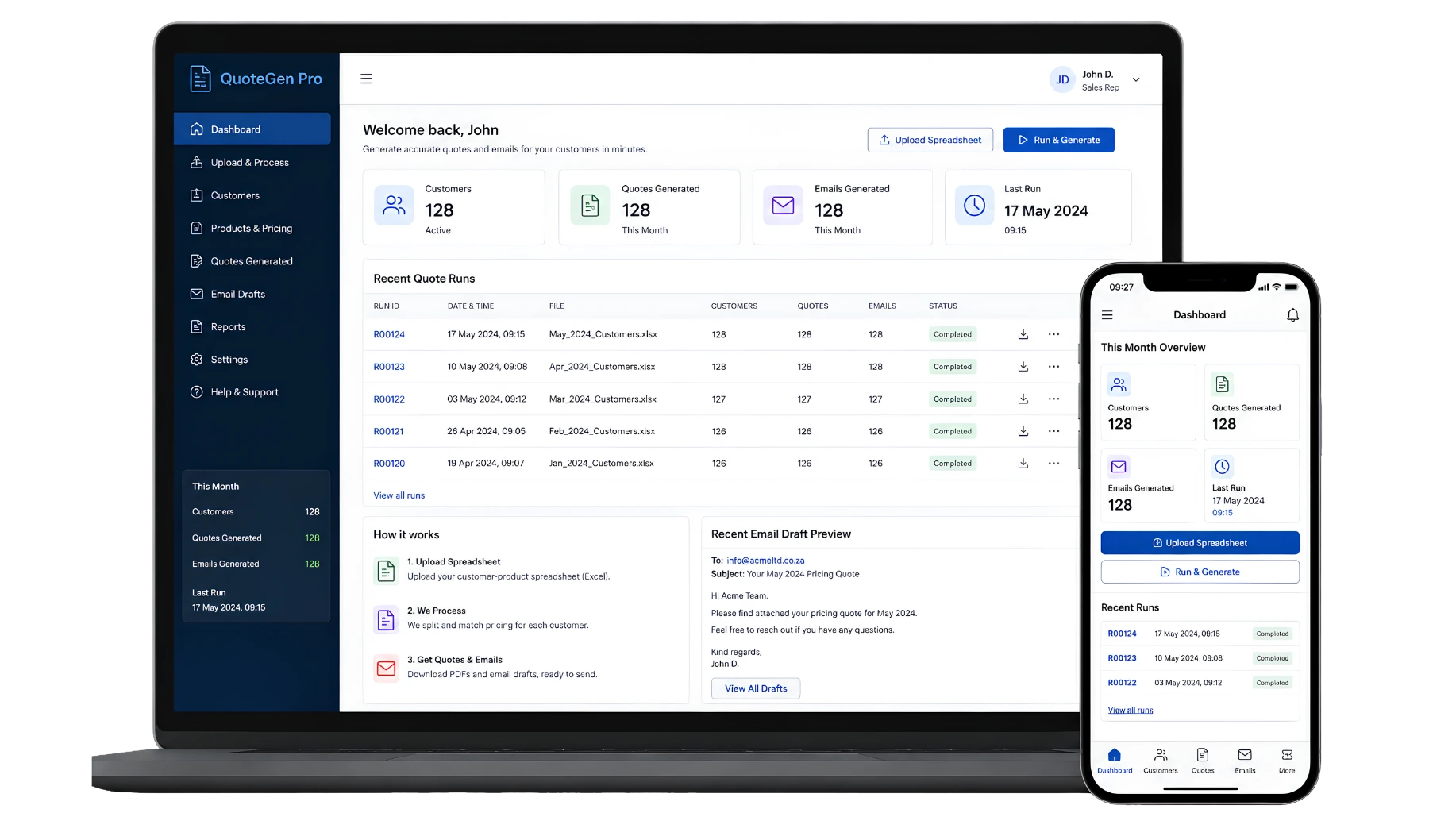
Quote & Invoice Workflow Systems for South African Businesses

Control how commercial information becomes a quote, how pricing and approvals are checked, what the customer receives and how an accepted sale moves into finance or delivery.

A quote workflow should do more than populate a PDF. It should control the information, calculations, approval decisions, revisions and handovers behind that document.

Repautomate can design custom quote and invoice workflow systems for South African businesses where quotes are repeatedly assembled from spreadsheets, emails and Word templates or where sales, operations and finance are maintaining different versions of the same commercial information.

Where an established CRM, accounting platform or quoting product already handles the requirement well, improving or integrating that software may be more sensible than rebuilding it.

Explore Quote Workflow Features Discuss Your Quote Process

A system may manage:

  • Quote requests
  • Customer information
  • Products or services
  • Pricing calculations
  • Discounts and adjustments
  • Approval workflows
  • Quote revisions
  • Branded documents
  • Sending and status
  • Finance handover

What is a quote and invoice workflow system?

It is a system used to control the business process around preparing commercial quotations and moving approved sales information into the next financial or operational stage.

The quote record can contain the customer, products or services, quantities, rates, discounts, terms, validity, salesperson, internal approvals, revisions and supporting information required to prepare the offer.

The final document is only one output from that process.

After the customer responds, the same approved information can support the next step, such as creating an order, operational handover or invoice-related record, depending on how the organisation works.

The system should help answer:

  • Who is the quote for?
  • Which opportunity or request created it?
  • What is being offered?
  • Which pricing rules apply?
  • Who can change the price?
  • Does the quote require approval?
  • Which revision did the customer receive?
  • Has the quote been accepted or declined?
  • What information moves to Operations?
  • What information moves to Finance?
QuoteGen Example

When every quote becomes a small manual project

A salesperson receives an enquiry, copies customer details into a spreadsheet, asks somebody for pricing, calculates totals, finds the latest Word template, sends the draft to a manager, makes revisions and eventually saves a PDF.

If the customer accepts, Finance asks for the commercial information again. Operations asks what was actually promised. The salesperson searches through email to find the final version.

The document may look professional, but the workflow behind it is difficult to control.

A structured quote system keeps the information, decisions and final document connected.

Customer information is captured repeatedly

Names, addresses and commercial details are copied between CRM records, quote templates and finance systems.

Pricing depends on spreadsheets

Users copy formulas, rates and discounts into separate files, making it difficult to know which pricing logic was applied.

Approvals happen informally

Discounts or exceptions are approved through messages without a clear record of who approved what.

Several quote versions circulate

The customer and internal team may be looking at different revisions of the same commercial offer.

Accepted quotes need recapturing

Operations or Finance re-enters information that was already confirmed during the sales process.

Management visibility arrives late

Quote volumes, approval exceptions and commercial status are rebuilt manually from several sources.

How a quote can move through the system

The exact stages should reflect how the organisation sells, but a general flow may look like this:

Quote requested → customer and requirement confirmed → products or services added → pricing calculated → approval requested where required → quote document generated → customer receives quote → revision or negotiation where required → accepted, declined or expired → approved information handed to Operations and Finance

Not every quote needs every stage.

A standard recurring service may require very little internal review. A large project quote may need technical input, pricing approval, commercial review and several revisions before it is ready for the customer.

The system should allow different quote types to follow different approved paths.

Draft, approved, sent and accepted are different states

A quote changing status can affect what users are allowed to do next.

A draft may still be editable. An approved quote may be ready for document generation. A sent quote should preserve the version presented to the customer. An accepted quote may need to become the basis for another operational or financial process.

The exact status model should reflect the business rather than copying generic labels unnecessarily.

Example status model

Draft → awaiting approval → approved → sent → under revision where required → accepted, declined, cancelled or expired

Changes after a quote has been issued can create a new revision instead of silently changing the record of what the customer previously received.

What a quote and invoice workflow system can include

The system should contain the commercial controls the organisation genuinely needs without recreating unnecessary accounting functionality.

Quote requests

Create quote records from leads, opportunities, customer requests or another approved sales process.

Customer information

Reuse approved customer and contact information instead of capturing the same details into every quote manually.

Products and services

Add controlled products, services, descriptions, quantities and other line information relevant to the offer.

Pricing calculations

Apply approved rates, quantities, totals, taxes or other commercial calculations where the business rules are clearly defined.

Discounts and adjustments

Control which users may apply discounts or other commercial adjustments and when additional approval is required.

Approval workflow

Route quotes to suitable managers or commercial reviewers according to the rules defined by the business.

Quote revisions

Preserve issued versions and create controlled revisions when pricing, scope or commercial terms change.

Document generation

Turn approved quote information into a consistent branded PDF or other suitable customer-facing document.

Sending and status

Record when a quote was issued and maintain an appropriate commercial status as the customer responds.

Customer acceptance records

Record the accepted outcome or other approved response required to move the workflow forward.

Finance handover

Provide approved commercial information to the appropriate finance or accounting process without relying on manual recapture.

Dashboards and reporting

Give authorised users visibility of quote status, approvals and other commercial information supported by the workflow records.

Pricing rules should be controlled, not hidden inside copied spreadsheets

A quote may require straightforward quantity multiplied by unit price calculations, or it may involve more detailed commercial rules.

The system can apply defined calculations where the pricing logic is stable enough to represent accurately.

That may include rate tables, quantities, line discounts, overall discounts, taxes or other approved adjustments relevant to the business.

Complex pricing that requires estimation, specialist judgement or project-specific costing can still remain a human-led step. Automation should not create commercial certainty where the inputs are uncertain.

Pricing controls may define:

  • Approved product or service rates
  • Customer-specific rates where applicable
  • Quantities
  • Permitted discounts
  • Approval thresholds
  • Tax treatment according to the approved finance setup
  • Manual adjustments requiring explanation
  • Who may override a calculated amount

Approvals should focus on the exceptions that actually need review

Requiring senior approval for every routine quote can simply move the bottleneck.

A stronger approval workflow distinguishes between ordinary commercial activity and exceptions that justify additional review.

Workflow Automation can identify the correct approver, request a decision, record the outcome and trigger the next stage.

The organisation should define the approval conditions and authority levels.

Example approval flow

Quote prepared → commercial rules checked → exception detected → correct approver identified → approval requested → decision recorded → approved quote proceeds or returns for revision

Possible approval conditions depend on the business and may include discount, value, margin, unusual terms or another defined exception.

The customer should receive a controlled version of the quote

If the customer receives revision three, the business should be able to identify what revision three contained later.

Changing the live database record after sending the quote should not silently rewrite the history of the commercial offer already presented.

A revision workflow can preserve issued versions while allowing the sales team to prepare the next draft.

Example revision workflow

Quote approved → revision 1 generated → customer requests change → quote reopened or revised according to process → pricing updated → approval repeated where required → revision 2 generated → final outcome recorded

This creates a clearer history of negotiation without forcing users to manage filenames such as FINAL, FINAL2 and FINAL-LATEST.

Document generation should use the approved quote record

A quote document can be generated from the structured information already approved inside the workflow.

The template may contain branding, customer details, quote references, line items, commercial totals, terms and other approved content.

This reduces the need for users to manually copy the same figures into a Word document after the commercial record has already been checked.

Document generation should remain downstream of the information and approval process. Automating the PDF while leaving the underlying quote preparation uncontrolled only solves a small part of the problem.

A generated quote may include:

  • Quote number
  • Issue date
  • Customer information
  • Products or services
  • Quantities
  • Pricing and totals
  • Approved discounts
  • Validity period where used
  • Commercial terms
  • Relevant notes or scope

CRM and quoting should share customer and opportunity context where useful

A quote often begins inside the sales process.

A Custom CRM System can manage the lead, customer, contact, opportunity and sales activity while the quote workflow manages the commercial offer.

Appropriate information can move from the opportunity into the quote instead of being typed again.

The resulting quote status can also remain visible against the opportunity so the salesperson does not need separate systems to understand whether a deal is awaiting quotation, approval or customer response.

Example sales connection

Lead qualified → opportunity created → customer requirements confirmed → quote created from opportunity → approval and revisions managed → customer accepts → opportunity outcome updated → downstream handover begins

See Sales Automation for the wider lead-to-customer workflow.

An accepted quote needs a controlled handover

The customer saying yes is not the end of the business process.

Operations may need scope, locations, quantities, dates or service details. Finance may need approved customer and commercial information. Another team may need to create an order, project, job or customer record.

The accepted quote can become the approved source for that handover instead of asking teams to reconstruct the agreement from email.

Example accepted-quote workflow

Customer accepts quote → acceptance recorded → final commercial information locked or confirmed → Operations receives approved delivery information → Finance receives approved invoicing information → downstream records created according to the business process

The information sent to each department should be limited to what that process actually needs.

Quote acceptance and invoice creation do not always happen at the same moment

An accepted quote may authorise the next business stage without immediately creating an invoice.

A project may require a deposit. A service business may invoice after completion. A recurring service may invoice according to an agreed billing schedule. A product business may have an order or fulfilment process between quotation and invoicing.

The invoice-related workflow should therefore follow the commercial and accounting process actually used by the organisation.

The system should not assume that every accepted quote becomes a final invoice immediately.

Possible paths after acceptance

Accepted quote → invoice request
Where the commercial process allows immediate invoicing.

Accepted quote → work performed → completion approved → invoice request
Where billing depends on delivery or service completion.

Accepted quote → order or project → staged billing
Where the commercial agreement contains milestones or another approved billing structure.

The accounting system should normally remain the financial source of truth

A quote workflow can prepare and approve commercial information before invoicing.

Where accounting software already manages customer accounts, VAT, invoice numbering, credit notes, payments, ledger posting and financial reporting correctly, those specialist functions should normally stay there.

The workflow may pass approved information into the accounting process rather than creating a second competing financial record.

Useful separation

Quote workflow system
Customer requirement, pricing, approvals, revisions, document generation and commercial status.

Operations
Delivery, job completion or another trigger required before billing where applicable.

Accounting or finance system
Final accounting invoice, VAT treatment, financial posting, payment records and other specialist accounting functions.

See Finance Automation.

South African tax invoices have requirements beyond generating a document

Where a business is a VAT vendor and the document is intended to function as a tax invoice, the applicable VAT requirements need to be implemented correctly.

SARS specifies required tax-invoice information and other invoicing rules under the VAT framework.

For that reason, a custom quote workflow should not invent tax treatment, invoice numbering or VAT rules independently from the organisation’s accounting and tax setup.

If Repautomate is asked to generate a final tax invoice directly rather than hand approved information to an accounting platform, the exact legal, tax and recordkeeping requirements should be confirmed as part of the project.

The system can support:

  • Controlled invoice-related data
  • Required customer information
  • Approved commercial values
  • Structured document templates
  • Workflow status
  • Handover to accounting

The business remains responsible for:
Correct VAT treatment, legal invoicing requirements, accounting controls and financial records.

Operational completion can trigger the invoicing handover

For service and field businesses, invoicing may depend on work actually being completed.

A Work Order & Job Management System can manage the work itself, including completion evidence and approval.

Once the required completion condition is met, an invoice request or finance handover can be created using the approved customer, quote and job information.

This can reduce the gap between Operations and Finance without making the job system responsible for financial accounting.

Example service billing workflow

Quote accepted → job created → work completed → completion evidence reviewed → billable information confirmed → invoice request created → Finance reviews → accounting process continues

Customers can receive quotes and related documents through a portal

Email may remain perfectly suitable for many quote workflows.

Where customers already use an authenticated environment, a Customer Portal can provide controlled access to quotes, documents, status information or customer actions.

The customer-facing portal should remain separate from internal commercial notes, approval records and restricted pricing information.

Portal functions may include:

  • Access current approved quote
  • View previous quote revisions where appropriate
  • Download supporting documents
  • Submit required information
  • Record an approved response
  • Access selected account documents

A portal is optional. It should only be added where it improves the real customer process.

Automation should calculate and route what is clearly defined, not make uncontrolled commercial decisions

Quote workflows can contain many predictable administrative steps.

Customer data can be reused, totals can be calculated, approvals can be routed and documents can be generated according to defined rules.

Unusual pricing, negotiation, scope interpretation and important commercial exceptions may still require sales, operations, finance or management judgement.

A useful separation

Suitable for automation:
Calculations based on approved rules, document generation, approval routing, reminders, status changes and handover tasks.

Keep appropriate human judgement:
Commercial negotiation, unusual discounts, non-standard scope, pricing exceptions, credit decisions and contract interpretation.

How Repautomate’s service capabilities can fit inside the system

Digital Data Capture

Digital Data Capture can collect quote requests, quantities, customer requirements, supporting files and other structured information before preparation begins.

Workflow Automation

Workflow Automation can manage approvals, reminders, revision status, document generation and downstream handovers.

Live Dashboards

Live Dashboards can show authorised users quote status, pending approvals, commercial exceptions and other relevant workflow information.

Automated Reporting

Automated Reporting can produce structured commercial documents and recurring management outputs from approved system information.

Dashboards should show where commercial work is waiting

A quote dashboard is useful when it makes outstanding work visible.

Salespeople may need their draft and sent quotes. Managers may need pending approvals and quote exceptions. Finance may need accepted quotes waiting for the next financial step.

The exact measures should reflect the sales and finance process rather than filling the screen with every available commercial number.

Revenue forecasts and accounting figures should continue to use the source appropriate to the organisation’s financial process.

Useful workflow views may include:

  • Quotes in preparation
  • Quotes awaiting approval
  • Approvals overdue
  • Quotes sent
  • Quotes awaiting customer response
  • Quotes requiring revision
  • Accepted and declined quotes
  • Accepted quotes awaiting handover
  • Invoice requests awaiting finance review

Roles and permissions should match commercial authority

Not every user should necessarily be able to change every part of a quote.

A salesperson may prepare standard quotes. A sales manager may approve discounts. Operations may provide technical scope or delivery information. Finance may review tax, billing or customer-account information relevant to invoicing.

The permission model should reflect those responsibilities and the organisation’s approval authority.

Possible roles

Sales user
Prepare and manage assigned quotes within approved commercial rules.

Sales manager
Review exceptions and approve according to assigned authority.

Operations or technical reviewer
Confirm scope, quantities or delivery information where required.

Finance user
Review approved invoice-related information and continue the finance workflow.

Administrator
Manage approved configuration, templates and user access.

When existing CRM, CPQ or accounting software is probably the better answer

Quoting and invoicing are mature software categories.

If your sales process is standard, an existing CRM, CPQ, ERP or accounting platform may already provide quote creation, pricing, approvals, orders and invoices more comprehensively than a custom system.

The better project may be configuring that platform properly or improving the workflows around it.

Existing software may make sense when:

  • The quoting process follows common sales patterns
  • The required pricing functionality already exists
  • Accounting and invoicing are central to the requirement
  • Complex tax or financial functionality is required
  • Standard integrations cover the important systems
  • The business can reasonably adapt to the product

When a custom quote workflow becomes worth considering

Custom development becomes more relevant when the quoting process is closely tied to business-specific calculations, approvals, operational records or delivery workflows that standard software cannot support cleanly.

The quote functionality may also sit inside a wider Custom Business System containing CRM, customer portals, operations or other connected processes.

That can be more useful than maintaining separate spreadsheets around an accounting system that was never designed to manage the complete pre-invoice workflow.

Custom may deserve investigation when:

  • Quote preparation relies on several disconnected spreadsheets
  • Commercial calculations are business-specific but clearly defined
  • Approval rules are difficult to manage in existing software
  • Accepted quotes need deep links to custom operational workflows
  • Customers require tailored quote or document interactions
  • Existing products require recurring manual workarounds around core quote processes
Use the Software Decision Calculator

Related systems that can work with quote and invoice workflows

The quote system can remain focused on commercial preparation and approval while connected systems manage the customer relationship, external access and downstream work.

Custom CRM Systems

Manage customers, contacts, opportunities, sales activity and the wider commercial relationship surrounding the quote.

Customer Portals

Give customers controlled access to approved quotations, supporting documents and other account-specific commercial interactions.

Work Order & Job Management Systems

Manage operational work created after an accepted quote where service delivery or job completion must occur before billing.

Supplier & Vendor Management Systems

Manage supplier records and procurement workflows where purchasing or external supplier information affects the commercial process.

Where supporting commercial records require structured ownership and retrieval, the workflow may also connect with a Document & Records Management System.

Explore the wider Custom Business Systems We Build library for other system types.

Quote workflows sit between Sales, Finance and Operations

Sales Automation covers the wider lead, opportunity, follow-up and customer-conversion workflow.

Finance Automation covers approvals, invoice-related administration, supporting records and workflows around established accounting systems.

Operations Automation becomes relevant when an accepted commercial agreement needs to become actual service or operational work.

System versus department

Quote & Invoice Workflow System
The commercial records, calculations, approvals, document versions and handover.

Sales Automation
The wider process from lead capture through opportunity and customer conversion.

Finance Automation
The financial administration and approvals surrounding established accounting processes.

Operations Automation
The work required to deliver what the customer accepted.

Quote workflows vary significantly by business model

A professional-services firm may quote time, scope and deliverables. A contractor may need quantities, project information and commercial approvals. A wholesale business may rely on product, quantity and customer pricing. A field-service company may quote repairs or service work that later becomes a job.

The underlying quote workflow can be similar while the calculations, approval rules and downstream processes remain different.

How we approach a quote and invoice workflow project

The commercial process, calculations and system boundaries need to be understood before templates and automation are built.

1. Map how a quote starts

We identify the lead, customer request, opportunity or internal trigger that creates a requirement for quotation.

2. Define quote information and calculations

We map products, services, quantities, rates, commercial rules and information required to prepare a dependable quote.

3. Define approvals and exceptions

We establish which quotes can proceed normally and which discounts, values or commercial conditions require additional review.

4. Design revisions and documents

We define how issued versions are preserved and how approved information becomes the customer-facing quote.

5. Map accepted-quote handovers

We identify what Sales, Operations and Finance need when the customer accepts and which system should own each downstream record.

6. Review existing software and integrations

We assess CRM, accounting and operational systems to determine what should remain in place and where technical integration is genuinely useful.

Has the quote spreadsheet become the sales system?

Spreadsheets can be excellent tools for calculations and estimating.

They become harder to use as the complete quote-management system when several people need customer records, controlled pricing, approvals, revisions, document generation, status history and finance handovers at the same time.

The Automation Resource Hub contains practical resources for deciding when existing software, workflow automation or a custom business system is the better fit.

Not sure whether to buy, integrate or build?

Compare quote, CRM and accounting software with a custom workflow based on process fit, pricing complexity, approvals, integrations, ownership and maintenance.

Use the Software Decision Calculator

Quote & Invoice Workflow Systems FAQs

It is software used to control quote preparation, pricing, approvals, revisions, document generation and the downstream handover into delivery or invoicing. It can complement existing CRM and accounting software rather than replacing them.

Yes, where the required customer information, line items, calculations and document rules have been defined. The system can generate the final document from approved structured information instead of requiring somebody to rebuild the quote manually.

Yes, where the pricing rules can be defined accurately. The system can apply approved rates, quantities, discounts, taxes and other calculations. Pricing that requires commercial estimation or judgement can remain subject to manual input and review.

Yes. A quote can be routed for approval when a defined discount, value, margin or other commercial condition requires additional authority. The actual approval thresholds must be defined by the organisation.

Yes. Issued quote versions can be preserved and later changes managed as controlled revisions so the business can identify which commercial offer was presented to the customer.

Potentially. A CRM System can provide customer, contact and opportunity information to the quote workflow where the systems and process are designed to work together.

Potentially. A Customer Portal can provide controlled access to approved quotes, documents or customer actions where portal access is useful to the wider relationship.

Potentially, but not every business should invoice immediately when a quote is accepted. Some businesses invoice after delivery, job completion, milestones or another approved trigger. The correct invoicing workflow should reflect the commercial and accounting process actually used.

Yes. A completed and approved record from a Work Order & Job Management System can potentially trigger an invoice-related handover where billing depends on completed work.

Not necessarily, and in many cases it should not. Established accounting software should normally remain responsible for specialist functions such as customer accounts, VAT treatment, invoice numbering, ledger posting, payments and financial reporting. The workflow can improve the process before information reaches that system.

Potentially, but if the system is expected to issue final tax invoices directly, the applicable SARS, VAT, accounting and recordkeeping requirements need to be confirmed and implemented correctly for the organisation. Generating a document does not by itself make it a valid tax invoice.

Yes. Live Dashboards can provide current workflow visibility, while Automated Reporting can generate recurring commercial or management outputs from the same underlying records.

Potentially. Integration depends on the systems involved, available APIs or other technical access, licensing, authentication, security requirements and the information that needs to move between platforms. Integration feasibility should be assessed before it is included in the solution.

Not necessarily. Existing CRM, CPQ, ERP and accounting products may already handle the requirement well. Custom development becomes worth considering when quote calculations, approvals, operational handovers or customer workflows cannot be supported adequately without persistent manual workarounds.

Show us what happens between the customer asking for a price and Finance receiving the sale

You do not need to arrive with a quotation-software specification.

Show us where quote information comes from, how prices are calculated, what requires approval, how revisions are handled, what the customer receives and what Operations or Finance has to do after acceptance.

We can assess whether existing CRM or accounting software, targeted workflow automation, integration or a custom quote and invoice workflow system is the more sensible approach.