

 Automation
 AI Integration
 Custom Business Systems
 Web Development & Hosting
 Resource Hub
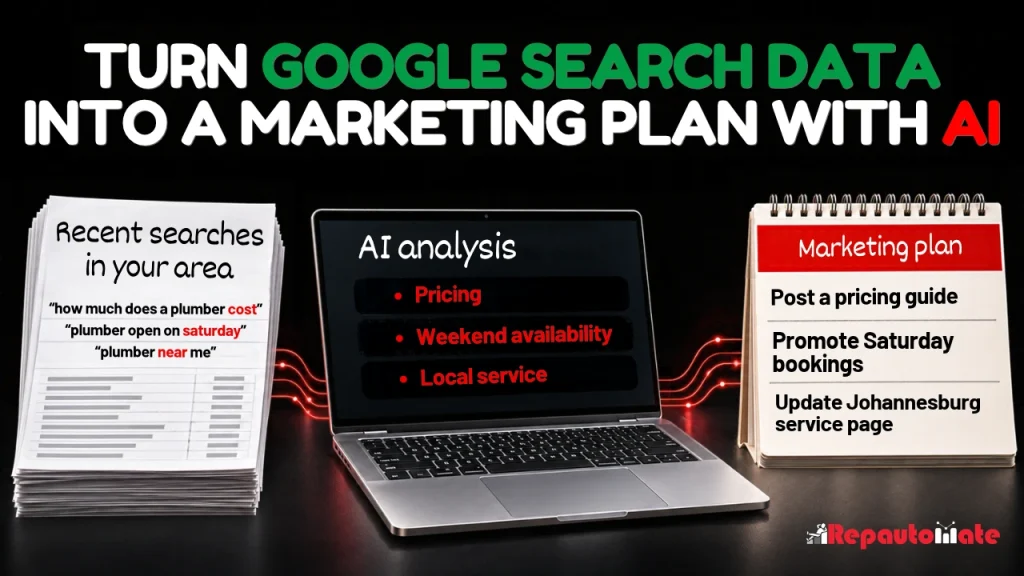
Before you plan next month’s marketing, it’s worth finding out which questions are already bringing your website up on Google. Some will sound familiar from customer calls. Others might surprise you, especially if your site has appeared hundreds of times for a search and hardly anyone has clicked.
Google Search Console gives you the phrases people used. AI can help you make sense of a long list: which searches describe the same need, which are gaining ground, and which deserve a place in your marketing plan. A useful outcome might be a better service page, a subject line for your next email, or a decision about where to spend a small advertising budget.
Prefer to watch or listen?
Get a comprehensive overview of the article’s key insights by playing our summary video.
Disclaimer: This video is an automated summary generated using NotebookLM by Google based on the original article text. While it provides an accurate overview of the key themes, please refer to the full original article for complete details and context.
Export the searches your website already appears for
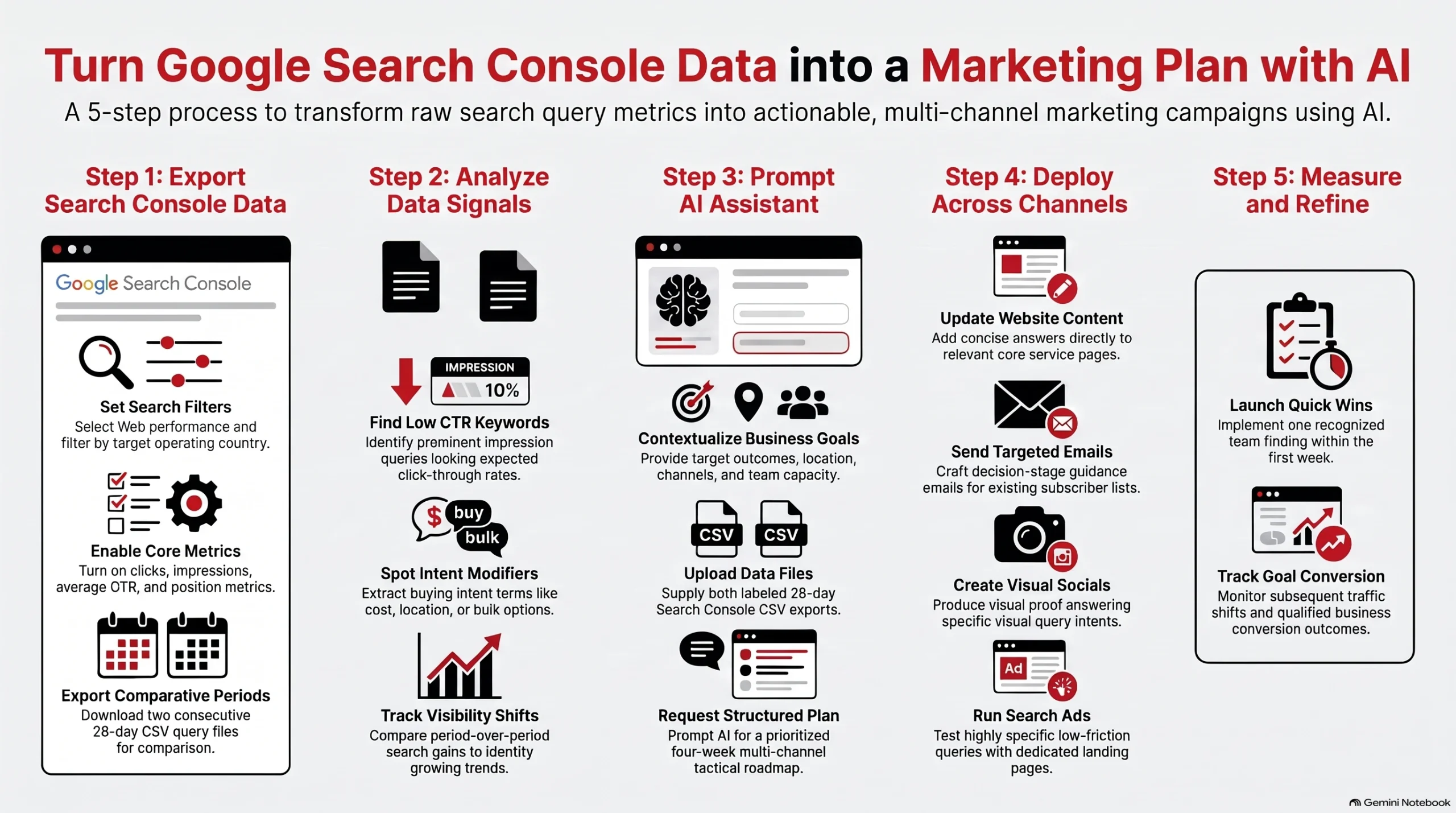
Open your verified website in Google Search Console and go to Performance → Search results. Choose Web and, if relevant, filter by the country you serve. Turn on clicks, impressions, average CTR and average position. An impression means your site appeared in the results. CTR is the percentage of impressions that led to a click.
Select the last 28 complete days, click Export → Download CSV and unzip the download. Repeat for the previous 28 days using the same filters. Label each Queries.csv file with its dates. If your site gets little traffic, use two longer periods of equal length.
View Google’s export guide.
Look for three things in the data
- Searches where people saw your site but rarely clicked. Pick a phrase that closely matches what you offer. In Search Console, click it under Queries, then open Pages to see which URL appeared. Check average position before blaming the wording. If the page usually appeared prominently, compare its title with the other results. Would someone searching for that exact thing know why to choose yours?
- Questions your website only partly answers. Words like “cost”, “near me”, “weekend” or “bulk” can change what someone needs to know. A contractor who sees searches for “office renovation cost per square metre” has a precise question to take to the estimating team. What drives the price, and what details would they need to give a realistic estimate?
- Changes in what your site is appearing for. Compare related searches across the two periods. An online clothing store could group them by menswear and womenswear, then compare winter and summer ranges. If men’s jackets still have the most impressions but women’s summer dresses are gaining fastest, those are two useful findings. Check stock, sales, average position and, if available, the same weeks last year before deciding what to promote. Search Console measures your site’s visibility, so those figures alone can’t tell you how demand changed across the whole market.
Ask AI for a marketing plan you can actually use
Upload the two query files to an AI tool your business approves. Tell it what a good result looks like. Getting more bookings for a weekday service is a much clearer brief than “get us more traffic”. Here’s a prompt you can adapt:
We offer “products or services” to “customers” in “area”. This month we want more “specific outcome”. Our available channels are “website, email, social media or paid search”, and we have time to produce “realistic amount of work”.
Compare the attached Search Console exports. Group searches by what the person appears to want. Identify relevant searches with few clicks, questions worth answering and topics gaining visibility. Quote actual queries and show the figures from each period. Check average position and flag uncertain interpretations or missing data.
Choose the three opportunities that best fit our goal. Turn them into a four-week plan. For each action, give me a working title or specific page edit, the best channel for it, the next step for the customer and how we’ll judge the result. Tell me which facts you need from our team before drafting.
Decide where each idea belongs
Website and search. Give a buying question a permanent home on the page where the decision happens. If people search for weekend appointments and you offer them, put the hours and booking link together on the relevant service page. If AI suggests a new article, read the page that already appears for the search first. A two-line edit might answer the question.
Email. Look for a question that helps an existing customer take their next step. A training provider seeing searches about beginner versus advanced courses could send subscribers a short “Which level should I book?” email, with a sample task from each course and links to the dates. Measure bookings as well as clicks.
Social media. Pick a query you can answer better by showing something. For the clothing store, “linen dress with pockets” gives a photographer a specific shot: show whether a phone fits. A contractor could use the same approach to show what happens during a site inspection. Link viewers to the page where they can act on what they’ve seen.
Paid search. If you run ads, a specific phrase can give you a small test with a clear destination. For example, an ad for “after-hours office cleaning” should lead to a page explaining evening cover and how to request a quote. Judge the test on cost per qualified enquiry or sale. An organic impression is a reason to investigate a phrase, not a prediction that paying for it will turn a profit.
Start with one finding your team recognises and one action you can finish this week. Record what you changed and when. Later, check both sides of the result: did the relevant searches bring more clicks, and did those visits lead to the enquiries, bookings or sales you wanted?
If a pattern in your Search Console data has left you with more questions than answers, you’re welcome to get in touch with Repautomate.