

 Automation
 AI Integration
 Custom Business Systems
 Web Development & Hosting
 Resource Hub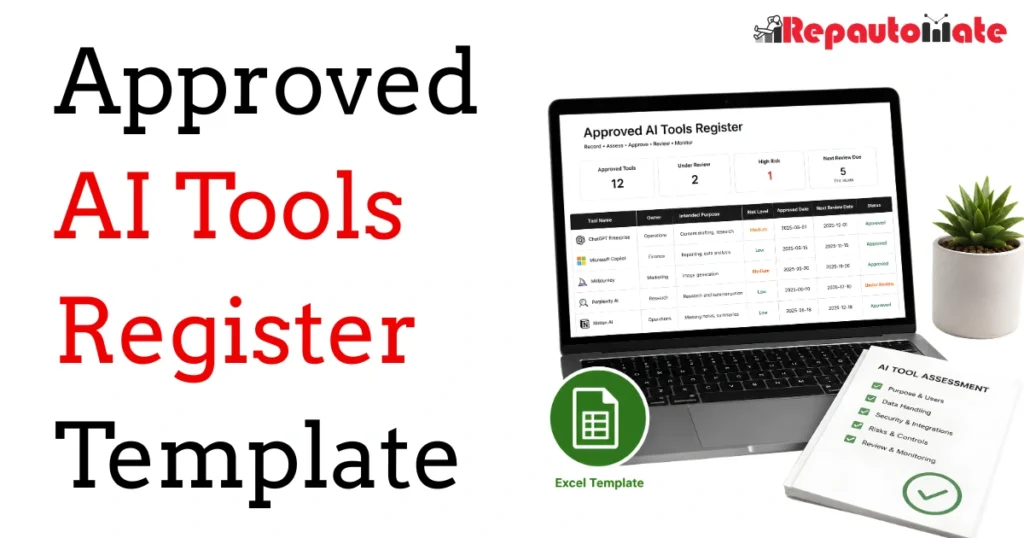
Create a controlled record of the AI tools your organisation has assessed, who may use them, what they may be used for, which information is permitted and when each approval must be reviewed.
This editable Microsoft Excel workbook provides a practical starting point for organisations that need clearer oversight of workplace AI tools. It combines a master register, reusable assessment, risk and review log, approval guidance and supporting dropdown values for South African businesses and abroad.
Format
Microsoft Excel
Resource type
Template
Best for
AI governance teams
Version
1.0
Last updated
30 July 2026
PRACTICAL AI OVERSIGHT
What This Approved AI Tools Register Template Helps You Do
AI tools are often introduced by different employees, departments and suppliers. Without a shared record, it can become difficult to determine which services have been assessed, what information may be entered, which controls apply and who is responsible when something changes.
Create a single source of truth
Record each tool, vendor, service version, approval status, business owner, permitted users, approved purposes, data limits, contract details and review dates in one filterable register.
Make approval conditions visible
Distinguish between tools that are pending assessment, limited to a pilot, approved with conditions, fully approved, suspended, retired or rejected.
Prepare for reviews and changes
Track scheduled reviews, incidents, complaints, vendor updates, contract decisions, suspensions and retirement actions instead of relying on informal conversations.
Document the evidence considered
Create a record of the vendor terms, privacy information, security material, retention settings, subprocessors, configurations, risks and controls reviewed during assessment.
Clarify human accountability
Specify who owns the tool, who may use it, who reviews important outputs, who may stop its use and who remains accountable for final decisions or actions.
Identify higher-risk uses
Consider data sensitivity, possible harm, autonomy, integrations, external exposure, affected people and vendor uncertainty before granting wider access.
INTENDED USERS
Who This AI Tools Register Is For
The workbook is intended for organisations that are introducing AI tools, responding to employee-led AI adoption or formalising an existing approval process.
Suitable users and teams
- Business owners and senior managers
- IT, information security and technical teams
- Risk, compliance, privacy and governance teams
- Human resources and workplace policy owners
- Procurement and contract owners
- Operations managers introducing AI-assisted processes
- Project teams evaluating new AI products or integrations
- Consultants helping an organisation structure its internal AI approval process
When additional support may be needed
A spreadsheet register may not be sufficient on its own when an AI system affects employment, credit, health, safety, legal rights, access to essential services or other high-impact outcomes.
Legal, privacy, cybersecurity, employment, procurement or sector specialists may also be required when a tool processes regulated information, connects to critical systems, operates across jurisdictions or creates significant contractual and operational dependencies.
FIVE WORKSHEETS
What Is Included in the Workbook
The download contains five connected worksheets. Each worksheet has a different role in the assessment, approval and ongoing review of AI tools.
WORKSHEET 1
Start Here
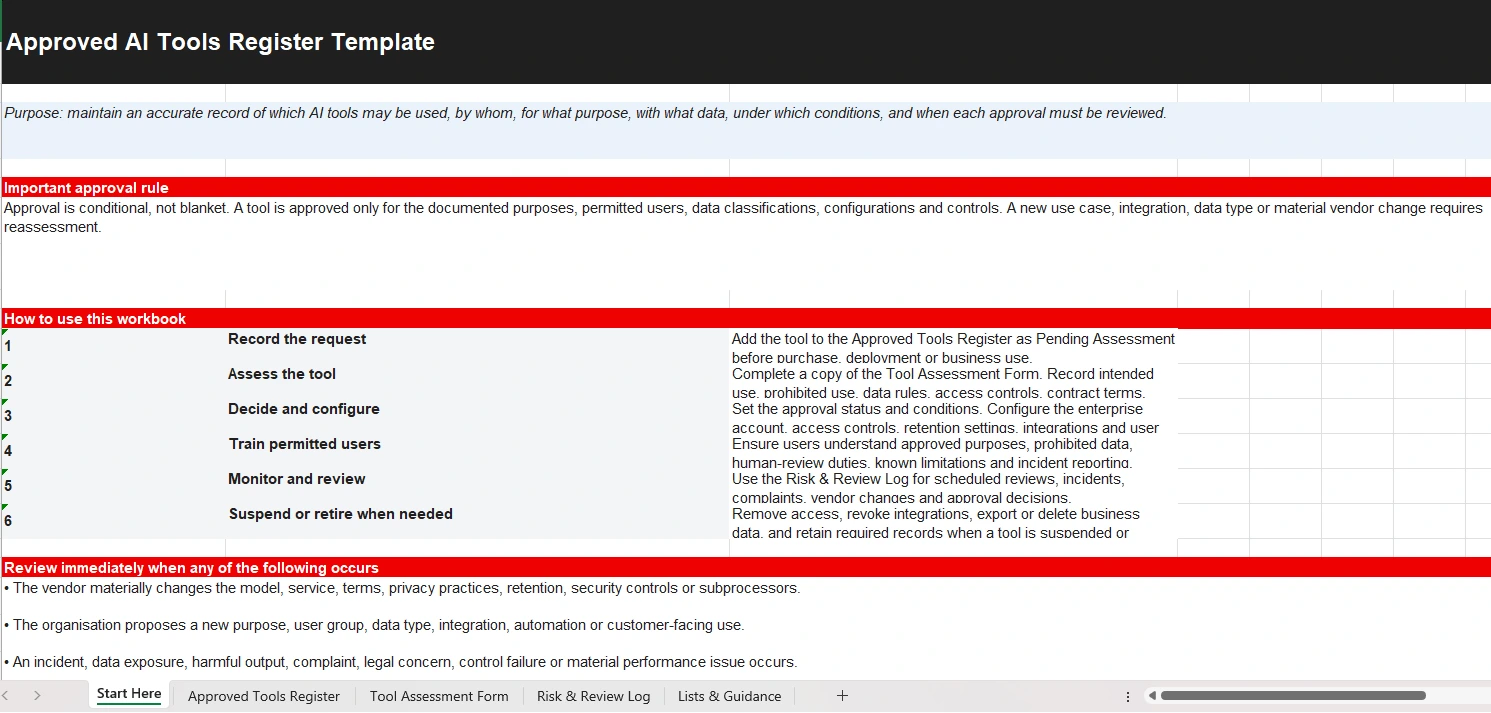
Concise implementation instructions covering how to record a request, assess a tool, make and configure an approval decision, train permitted users, monitor use and suspend or retire a tool when necessary.
Also includes:
- The rule that approval is conditional rather than blanket
- Events that should trigger an immediate review
- Minimum decision, vendor, configuration, risk and user evidence to retain
- A summary of the frameworks that informed the workbook
- A visible limitation and adaptation notice
WORKSHEET 2
Approved Tools Register
A filterable master register for recording approved and proposed AI tools across the organisation.
Register fields include:
- Tool ID, tool, vendor and service version
- Approval status and overall risk
- Business owner and permitted users or groups
- Approved purposes
- Highest permitted data classification
- Prohibited uses or data
- Approval and next-review dates
- Contract and renewal details
- Known risks, approval conditions and required controls
The sheet also contains summary indicators for total tools, approved or conditional tools, pending or pilot tools, high-risk tools and overdue reviews.
WORKSHEET 3
Tool Assessment Form
A reusable assessment and approval record that can be copied for each tool being considered.
Assessment areas include:
- Tool identification, owners and decision scope
- Business need and expected benefit
- Approved and prohibited purposes
- Permitted users, training and human oversight
- Data, privacy, retention and cross-border handling
- Security, access controls and integrations
- Contracts, renewal terms and vendor dependency
- Known risks, limitations and controls
- Risk scoring and final approval decision
- Monitoring indicators and incident routes
WORKSHEET 4
Risk & Review Log
A structured log for scheduled reviews, incidents, complaints, vendor changes, contract decisions, suspensions and retirement.
Log fields include:
- Log ID, tool ID and tool name
- Date identified and log type
- Issue, change or review summary
- Actual or potential impact
- Immediate action and responsible owner
- Target completion date
- Decision and decision date
- Evidence and follow-up
WORKSHEET 5
Lists & Guidance
The supporting values used in dropdown fields throughout the workbook, together with practical risk and data-classification guidance.
Included lists cover:
- Approval statuses
- Low, medium and high risk levels
- Public, internal, confidential and restricted or regulated data
- Human-review requirements
- Review and log types
- Approval and retirement decisions
- Suggested review frequencies for different risk levels
One clearly marked example row is included
The Approved Tools Register contains one clearly labelled example entry to demonstrate the intended level of detail. Replace or remove the example after reviewing it. It does not represent a real vendor approval or a recommendation to use a specific AI product.
IMPLEMENTATION PROCESS
How to Use the Approved AI Tools Register
Treat the workbook as an ongoing governance record rather than a once-off list of software products.
-
Assign ownership and adapt the guidance.
Decide who maintains the register, who may approve tools and which privacy, security, procurement, legal or management reviewers must participate. Adapt the risk levels, data classifications and review periods to your organisation. -
Record the request before wider use.
Add a proposed tool to the Approved Tools Register with a pending-assessment status before purchase, deployment, integration or routine business use. -
Copy and complete the Tool Assessment Form.
Create a separate assessment record for the tool and its intended use. Record verified facts, identify unknown information and link the supporting vendor, contractual, privacy and security evidence. -
Define the approval scope and controls.
Specify the permitted users, approved purposes, prohibited uses, allowed data, human-review requirements, account configuration, access controls, integrations and monitoring conditions. -
Record the decision.
Document whether the tool is approved, approved with conditions, limited to a pilot, rejected or suspended. Include the approvers, decision date, conditions, outstanding actions and next review date. -
Configure the service and train users.
Apply the agreed account, access, retention, training-data, logging and integration settings. Explain the approved purposes, prohibited information, checking duties and incident-reporting route to permitted users. -
Monitor, review, suspend or retire.
Use the Risk & Review Log when an incident, complaint, contract renewal, vendor change, new integration, new data type or material change occurs. Reassess the approval and remove access or integrations when a tool is suspended or retired.
WORKBOOK PREVIEW
Preview the Approved Tools Register
The workbook uses structured fields, dropdown values, summary indicators and visual review-date alerts to make important approval information easier to find.
Illustrative example included in the workbook
The example row shows how a conditionally approved internal AI assistant could be documented. It limits the tool to named, trained users and non-sensitive drafting work, prohibits confidential information and high-impact decisions, and requires human review before reliance or external use.
| Field | Illustrative entry |
|---|---|
| Tool ID | EXAMPLE-001 |
| Approval status | Approved with Conditions |
| Permitted users | Named staff who completed internal AI-use training |
| Approved purpose | Internal summaries and first drafts of non-sensitive communications |
| Highest data allowed | Internal |
| Overall risk | Medium |
| Example controls | Human review, multifactor authentication and restrictions on vendor training where supported by the selected plan |
Illustrative example only. It is not an approval recommendation and must not be copied into your register without assessing the actual tool, service plan, use case and controls.
LIMITATIONS AND RESPONSIBILITIES
Important Considerations Before Using the Template
An AI tools register can support governance and accountability, but its value depends on the quality of the assessment, evidence, decisions, configurations and ongoing monitoring behind each entry.
Approval is limited to the documented scope
Approving a tool does not automatically approve every feature, user, integration, data type or proposed use. A new business purpose, customer-facing deployment, automation, user group or information category may materially change the risk and require reassessment.
Vendor information can change
Review the current service terms, privacy notice, data-processing terms, security material, retention controls, subprocessors, support commitments and available account settings for the exact product and plan being assessed.
AI output still requires appropriate review
Generative AI can produce incomplete, inaccurate or misleading output. The level of checking should reflect the possible consequences of an error. A named person or role should remain accountable for important outputs and decisions.
Do not place secrets in the workbook
The assessment includes a field for documenting how API keys, passwords and other credentials are managed. Record the approved handling process, storage location or responsible system. Do not place actual passwords, recovery codes, API keys, tokens or other secrets in the workbook.
Data classifications must be adapted
The included classifications provide a practical starting point. Align them with your organisation’s information-security policy, privacy obligations, contracts, sector requirements and the potential harm that could result from unauthorised access or disclosure.
Higher-impact use requires deeper assessment
Tools affecting people’s rights, employment, safety, health, credit, legal position or access to services may require a separate impact assessment, specialist review and stronger testing, oversight, documentation and monitoring.
Important legal and professional disclaimer
This resource provides general educational guidance and a practical starting point. It does not constitute legal advice and does not guarantee compliance with POPIA or any other law, regulation, contract or industry requirement. Adapt the workbook to your organisation and obtain appropriate legal, privacy, employment, cybersecurity, procurement or other professional review where necessary. Applicable requirements may differ according to the organisation, AI use, affected people, sector and jurisdiction.
FREE EXCEL DOWNLOAD
Start Building a Clear Record of Approved AI Tools
Download the Microsoft Excel workbook, save a controlled master copy and adapt the guidance, owners, approval process, classifications and review periods before adding live organisational information.
Version 1.0 | Updated 30 July 2026
CONTINUE YOUR AI GOVERNANCE WORK
Related Repautomate Guides and Resources
Use the register alongside clear workplace rules, employee training and a structured process for assessing proposed AI uses.
AI PRODUCTIVITY & ADMIN
How South African Businesses Can Use AI to Eliminate Over R100K in Admin Costs Without Replacing Staff
A practical explanation of where avoidable administration costs hide, how AI can support employees and how businesses can calculate potential capacity savings without treating AI as a staff-replacement strategy.
AI SYSTEM INTEGRATION
AI System Integration Services in South Africa: How to Make AI Useful Inside Your Business
Learn how AI can be connected to business data, workflows and existing software so that it supports real operational work instead of remaining an isolated experiment.
AI POLICY & GOVERNANCE
AI Policy for South African Businesses Before Staff Use AI
Understand why organisations need clear rules before employees use public or workplace AI tools, including guidance on approved use, confidential information, checking, accountability and training.
RELATED REPautomate SERVICE
AI Governance and Risk Readiness
The template gives your organisation a practical structure to work from. Some businesses also need help adapting that structure to their actual departments, tools, contracts, information, risks and approval authorities.
Repautomate’s AI services include governance and risk-readiness support for organisations introducing AI into real business processes. This may include helping teams define approved uses, review risks, establish internal rules and connect governance requirements to implementation and training.
The objective is not to replace internal accountability or professional advice. It is to help create a workable process that employees and decision-makers can understand and maintain.
Support may be useful when you need to:
- Identify AI tools already being used across the organisation
- Define approval roles and decision authorities
- Adapt data classifications and risk criteria
- Review proposed AI-assisted workflows
- Develop an internal AI policy or accepted-use guidance
- Prepare role-specific employee training
- Connect governance decisions to technical configurations
- Create an ongoing review and incident process
FREQUENTLY ASKED QUESTIONS
Approved AI Tools Register Questions
An approved AI tools register is a controlled record of the AI products or services an organisation has considered, the status of each approval and the conditions under which each tool may be used. It can record owners, users, purposes, information limits, risks, contracts, controls and review dates.
No. A register can support accountability, evidence and consistent decision-making, but compliance depends on the organisation’s actual processing, contracts, safeguards, notices, policies, technical controls and legal obligations. The workbook must be adapted and may require legal, privacy, cybersecurity, employment or sector-specific review.
The Approved Tools Register provides a concise organisation-wide overview. The Tool Assessment Form records the detailed evidence, intended use, data handling, security, contractual information, risks, controls and approval reasoning behind an individual entry.
The workbook suggests at least annual review for lower-risk tools, at least six-monthly review for medium-risk tools and at least quarterly review for high-risk tools while active. These are starting points rather than universal requirements. Review sooner when the vendor, model, service terms, data handling, integration, use case, affected people or applicable requirements change.
Yes. Approval should be linked to a defined purpose, group of users, data classification, service configuration and set of controls. A tool used for low-risk internal drafting may require a different assessment before it is connected to customer information, used publicly or allowed to influence important decisions.
Not automatically. The organisation should assess the exact tool, account type, contract, vendor data practices, retention, security, access controls, data location and intended purpose before permitting personal or confidential information. Employees should not enter sensitive information into an unapproved public AI service.
No. Record how credentials are controlled, where they are securely managed and who is responsible for them. Do not place actual passwords, recovery codes, API keys, authentication tokens or secret values in the workbook.
Yes. Review it first to understand the intended level of detail, then replace or remove it before using the register as your organisation’s live record. The example is not a real tool approval or vendor recommendation.
Yes. A smaller organisation can simplify the approval roles and review process while retaining the core principles of defined ownership, permitted use, information limits, human review, evidence, monitoring and periodic reassessment.
FRAMEWORK BASIS
Sources and Further Reading
The workbook draws on the following AI governance, risk, impact, accountability and cybersecurity sources. Use of the template does not establish certification, conformity or legal compliance with any standard or law.
- ISO/IEC 42001:2023 — Artificial intelligence management systems
- ISO/IEC 23894:2023 — Guidance on artificial intelligence risk management
- ISO/IEC 42005:2025 — AI system impact assessment
- NIST Artificial Intelligence Risk Management Framework
- NIST Generative Artificial Intelligence Profile
- OECD AI Principles
- Regulation (EU) 2024/1689 — European Union Artificial Intelligence Act
- UK AI Cyber Security Code of Practice
MAKE AI APPROVALS VISIBLE
Move from an Informal Tool List to a Reviewable Governance Record
Download the template to start documenting AI tools, owners, users, purposes, information limits, controls and review decisions. Read the related guidance or speak to Repautomate when you need help adapting the process to your organisation.